Designing an AI Reading Companion for Cross-Cultural Literature

Shipped an agentic reading experience that surfaces cultural context inline, from book discovery to deep analysis, without breaking immersion.

design

End to End Web MVP, agentic interface;

my role

sole product designer, ux researcher

skills

rapid prototyping, IA, user research, product strategy

duration

11 weeks, 2025

overview

Readers of high‑context literature often lose momentum because they must constantly leave the page to decode cultural references. Lumi is an e‑reader that turns a basic dictionary into a proactive cultural guide, surfacing context in real time so readers stay immersed instead of Googling.

This end‑to‑end project focuses on designing that agentic reading experience, preserving deep reading flow while supporting cultural comprehension for global, non‑native readers.

the solution

Introducing Lumi

A reading platform that brings cultural context into the book, so readers never have to leave to understand it.

Lumi surfaces the meaning behind what you're reading - the history, the subtext, the things a native reader already knows - right at the moment you need it, without breaking the flow that makes reading worth doing.

Decision #1: A reading journey that focuses on discovery

Readers land in a browse-and-explore flow, more like scrolling a streaming shelf than scanning a bookshelf. Every card leads with context tags and a tight hook, so committing to a book takes seconds, not more scrolling.

Decision #2: In-context agentic reading experience without breaking the flow

Readers shouldn't need to leave a sentence to understand it. Just highlight a phrase and tap the floating button on the left. Lumi reads the surrounding passage and surfaces a contextual explanation inline, answering the question before readers fully form it.

Quick-tap tags ground the concept in a broader framework; follow-up prompts anticipate where curiosity goes next, giving readers a live, structured path deeper into the reading flow without ever leaving the page.

Not every moment in a book calls for deep analysis. Lumi defaults to a compact summary beside the passage, and the full breakdown only appears when a reader taps "dive deeper" or asks a direct question. Lumi provides progressive depth that respects the reading state, thus the page stays clean until curiosity says otherwise.

Decision #3: Context-driven visuals, zero typing

The system reads the passage and surfaces grounding prompts automatically. Readers stay visually anchored in unfamiliar cultural content without ever touching the chat.

Decision #4: library page to offer a friction-free & personalized reading experience

The library surfaces books by reading state, with genre tags that let readers slice into sections without hunting. Tap a tag and the shelf reshapes. Progress and completion are visible at a glance, so the library works as a management tool, not just a catalogue.

🦻 competitive analysis

Understand why current reading apps fail

What reading platforms get wrong

Too focused on reading, but the reader is alone with the text.

These reading apps all deliver the same core promise: a clean, distraction-free place to read. Reliable syncing, beautiful typography, deep libraries. Readever even layers in AI - but it answers questions in isolation, divorced from the cultural weight of the text. Across all of them, the experience stops at the words on the page.

On the other hand…

Other content platforms/apps that makes cultural content approachable:

Blinkist and Shortform showed that understanding a book's ideas is as valuable as reading it. Readwise proved that meaning compounds over time - the right highlight, resurfaced at the right moment.

The Pudding, Google Arts & Culture, and Stripe Press each found ways to make cultural depth feel like discovery rather than homework. Each of them treats depth as the product. That's exactly what Lumi is built on, except it happens inside the story, not outside it.

🦻 qualitative research

I surveyed 5 people who are into cross cultural stories to understand what's missing in their reading journeys

Initially, I drew my focus on mostly asian literature, but during interviews, several common themes have emerged to indicate pain points for non-native readers engaging with culturally-rich literature.

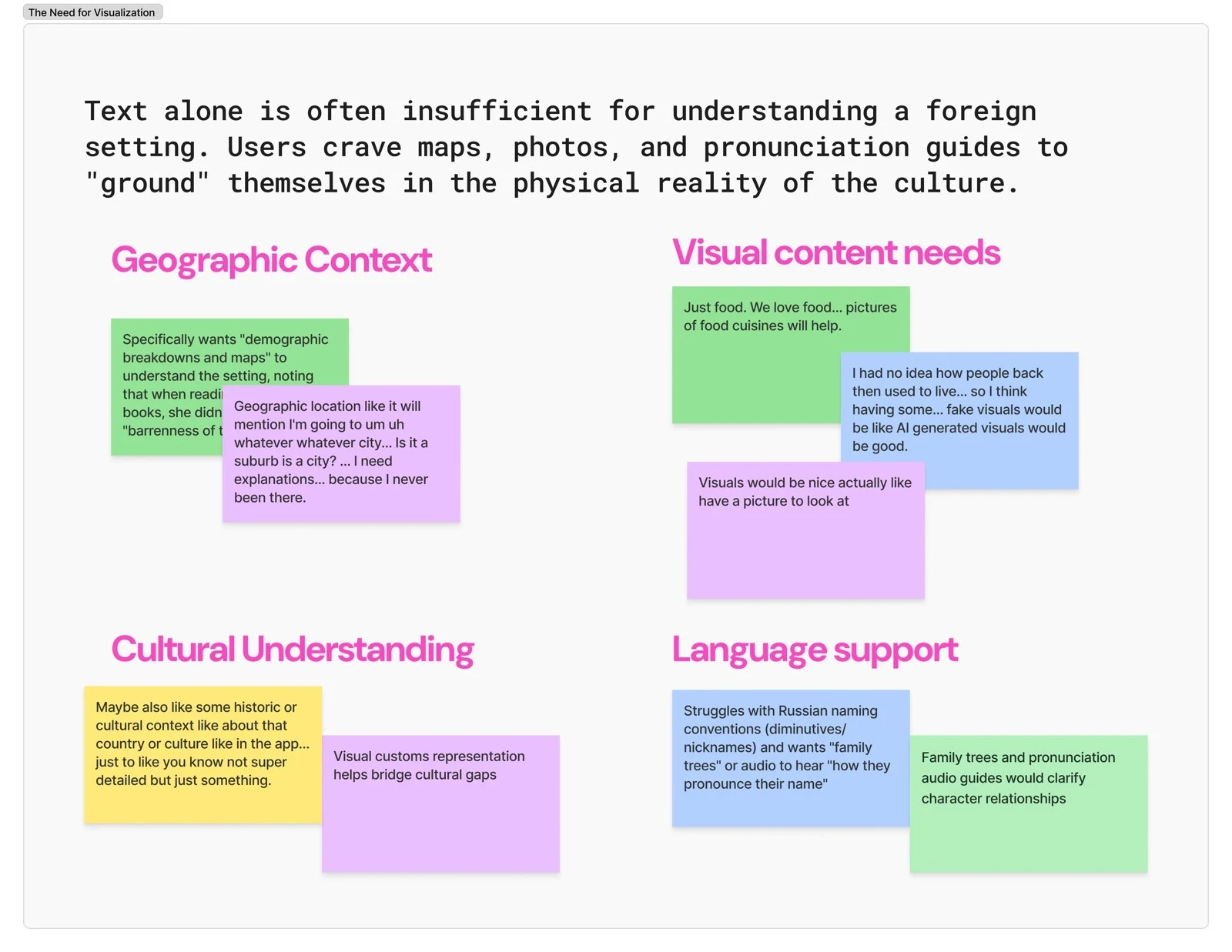
Users need visual and contextual support to better understand foreign literature settings.

  • Readers cannot picture foreign settings, clothing, food, or landscapes they've never encountered.

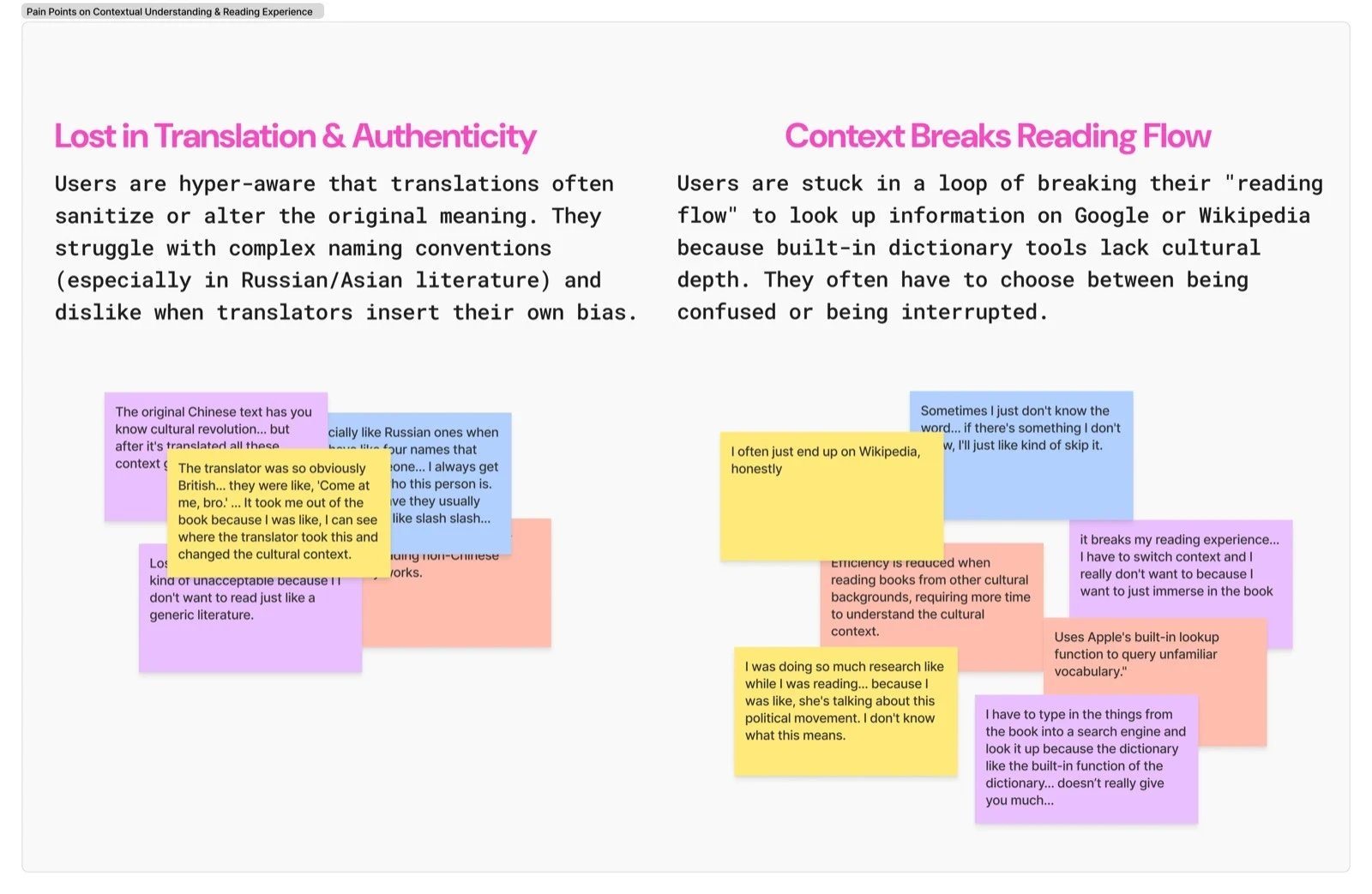
Readers struggle with cultural context gaps and translation issues that constantly interrupt their reading experience.

  • Translations sanitize original meaning and insert translator bias, and cultural nuances from original text often disappear in translation.

  • Every participant reported stopping mid-read to Google a cultural concept, historical event, or geography. The core problem is that existing tools define words, not cultural meaning.

🦻 user personas: defining mindsets

From static personas to fluid mindsets

From the interviews, two recurring modes of reading emerged: the Immersion Reader, who craves dense cultural depth, and the Cultural Voyager, who looks for visual entry points and light guidance.

In practice, the same person moved between both - depending on mood, energy, and how familiar they were with the culture. Instead of pigeonholing into rigid personas, Lumi’s experience is shaped around these shifting mindsets so readers can choose depth or light touch support as they need it.

🦻 opportunities: Designing the missing cultural layer

Readers don’t need more e‑readers. They need a cultural guide that sits inside the book.

Most reading apps stop at utilities: dictionaries, highlights, and basic X‑Ray views that list characters but ignore cultural nuance. From the feature matrix, I saw the same gaps repeated across Kindle, Apple Books, Libby, and Kobo - no in-line cultural explanations, no visual grounding, no sense of how “culturally dense” a book might be before readers start.

With Lumi, I started designing the missing layer: an in‑flow cultural companion that surfaces context, visuals, and AI‑driven explanations only when the reader needs them, so non‑native readers can stay immersed in the story instead of bouncing out to Google.

feature matrix with direct competitors

ideation

How might we provide instant, trustworthy cultural context to readers without forcing them to leave the page?

high-level goals

  • I want it to surface “hidden” cultural meanings that a reader wouldn't even know to ask about

  • I want it to integrate visual and sensory cues into the reading experience to help users "see" the world behind the text

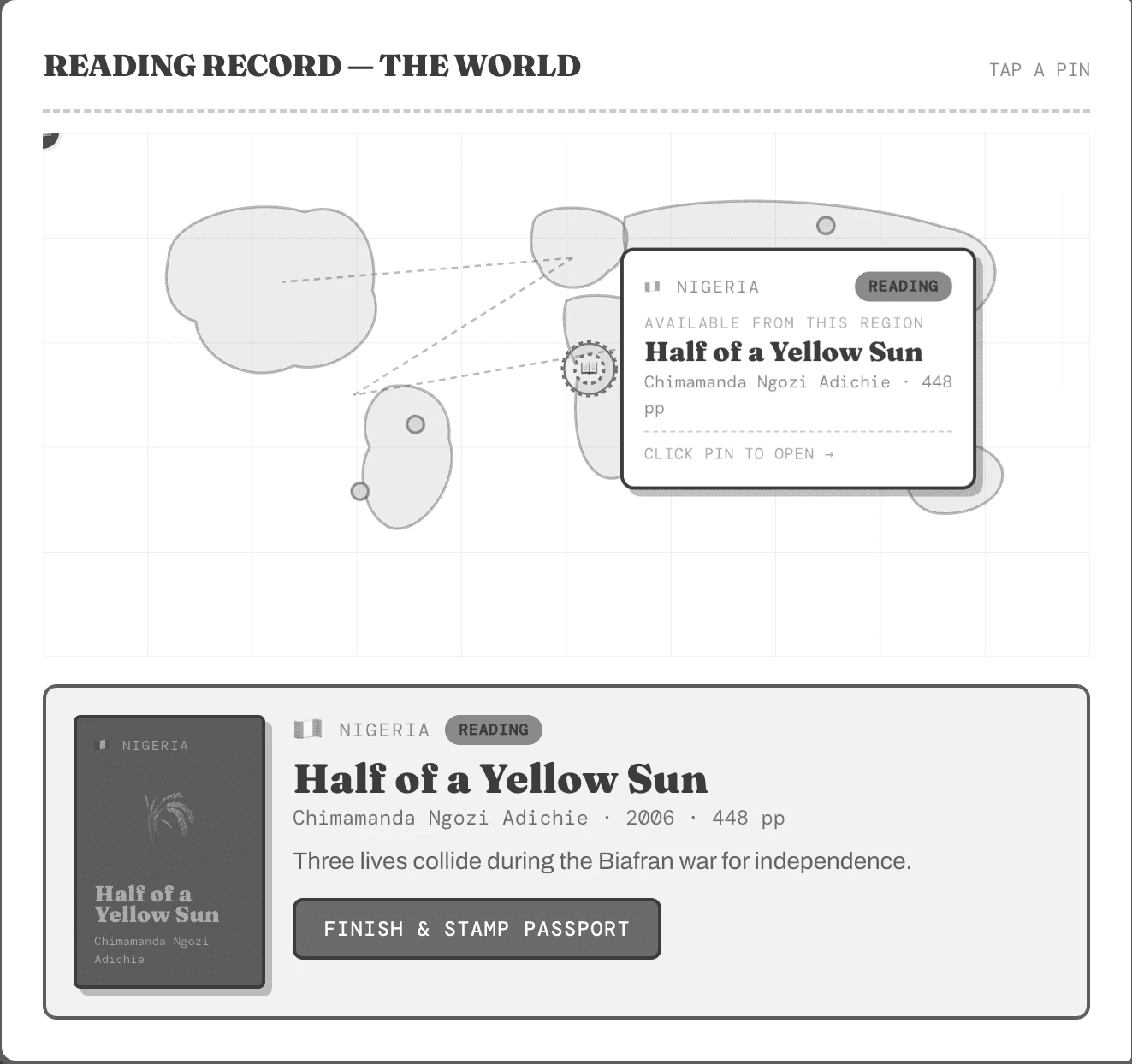
Based on the core features and the feature matrix, i trimmed down some of my previous thoughts, like adding an interactive world map to explore books/cultures by filtering through regions, which in hindsight would be losing track of the main pain points.

Here are the 3 main pages on the web app: homepage, library for saved books and the reader interface available to digest content with the Lumi agent.

sitemap

Instead of designing separate journeys for two different personas, I kept one core Lumi flow and explored how the same reader moves between a "visual discovery" mode and an "immersive reading" mode.

backbone user flow:

Discover → Preview → Read → Ask Lumi → Get context → Continue.

user flows in different mindsets (visual discovery & immersive reading, tap to see)

🎙️ mood board & UI kit

A purposefully vibrant, playful, and welcoming window into new cultures

Many reading apps make non‑native literature feel solemn or academic. For Lumi, the goal was the opposite: a warm, Gen‑Z‑friendly space that makes exploring a new culture feel playful and approachable, not intimidating.

That’s why the visual language leans on a creamy base, bold accent colors, and expressive typography - supportive, curious, and a little quirky. The interface stays clean and editorial so the page still feels like a book, while vibrant visuals and micro‑interactions carry the excitement of discovering something new.

moodboard

brand style guide

design iterations

Iterating from low-fi wireframes to higher fidelity wireframes……

High-level goals

  • I want it to surface “hidden” cultural meanings that a reader wouldn't even know to ask about

  • I want it to integrate visual and sensory cues into the reading experience to help users "see" the world behind the text

lofi wireframes

hifi wireframes

🎙️ usability testing

The core works for the participants. The edges don't.

All 4 interviewees immediately understood the value — staying in a story while getting cultural context on demand. The quick footnote-style cards felt natural, almost like something readers were already doing manually (Googling mid-chapter, flipping to footnotes). Trust was immediate.

The deeper analysis panel is a different story. Most readers didn't want it mid-scene on a first read in that they framed it as "study mode," something for Shakespeare or a second pass. Surfacing it automatically may interrupt the immersion it's supposed to protect.

🎙️ next steps

Enrich and improve the library cards

Readers treat the library as a working shelf, not a visual catalogue. Surfacing completion status, percentage progress, and download state on each card would make it actually useful as a management tool, reflecting how readers already think about their books.

Make the AI hierarchy obvious

Quick cards and Ask Lumi serve different purposes, but right now they read as two versions of the same thing. Renaming Ask Lumi to something like "Deep Dive with Lumi" and triggering it from within the quick card would make the relationship feel intuitive, not something that needs explaining.

Study mode and community notes (lower priority)

Several readers unprompted described wanting a mode built for deeper, more analytical reading, e.g: longer breakdowns, external sources, and richer context. A "Study mode" toggle would unlock that without pushing it into the default experience. Pairing it with community-sourced context is also worth exploring as a trust layer as the product matures.

🧠 takeaways

Systems thinking in design requires zooming out or missing the basics otherwise

I got so deep into the agentic reading experience that a core feature (library filter) was missing, which reinforced that UX has to consider the full journey, not just the immersive moment.

Real users don't fit one persona. Design for mindsets, not fixed personas.

My user research revealed that users moved between “Immersion Reader” and “Cultural Voyager” depending on mood and familiarity, so thinking in flexible mindsets led to more adaptive interaction patterns.

Agentic AI must be proactive but secondary. Make AI transparent, not flashy.

Early tests showed users hesitated to use the AI because they couldn’t predict its behavior, so explicit hand‑off moments and progressive levels of help were more valuable than polished visuals

Delight without discoverability is invisible.

Over‑investing in micro‑interactions meant some users didn’t even notice the AI feature; clear benefit‑driven labels and cues were actaully informing readers what the AI does for them, not just that it exists.