I've always wished to have more control over the X feed in a way that I wanna spend more time in.
Fun fact: I didn’t have an X account until I came to the States in 2021. Not mainly because of the Great Firewall (a bit, yes), but because the app overwhelmed me.
As a non-native English speaker, I had to decode walls of text before I could decide whether I cared. My own starting point was wanting to follow tech conversations without everything else grabbing my attention.
Research / Five interviews
Users resort to multiple accounts as workarounds for context separation.
I interviewed five people about how they managed their feeds, what the existing controls helped them do, and where they turned to workarounds.
Key insights
“I followed the Met Gala for a few days for fashion inspiration. My feed is still showing me celebrity gossip...”Participant A
Interests outlasted their relevance.
Topics people had previously engaged with continued resurfacing, even when their attention had moved elsewhere.
“If I have to go into a settings page and manually configure it... I'm way too lazy to go in and do that.”Participant C
Control required effort away from the moment of need.
Opening settings and configuring preferences felt like too much work when someone simply wanted to change what they were seeing.
The design challenge
How might people shape their feeds without making feed management another chore?
01
Transparent
Make the effect of each preference clear and predictable so people can trust how their choices shape the feed.
02
Effortless
Make controls easy to find and quick to use, without buried settings or tedious manual cleanup.
03
Nuanced
Give people meaningful choices beyond follow or unfollow that reflect changing interests and different contexts.
Exploration
How much control is useful before it becomes work?
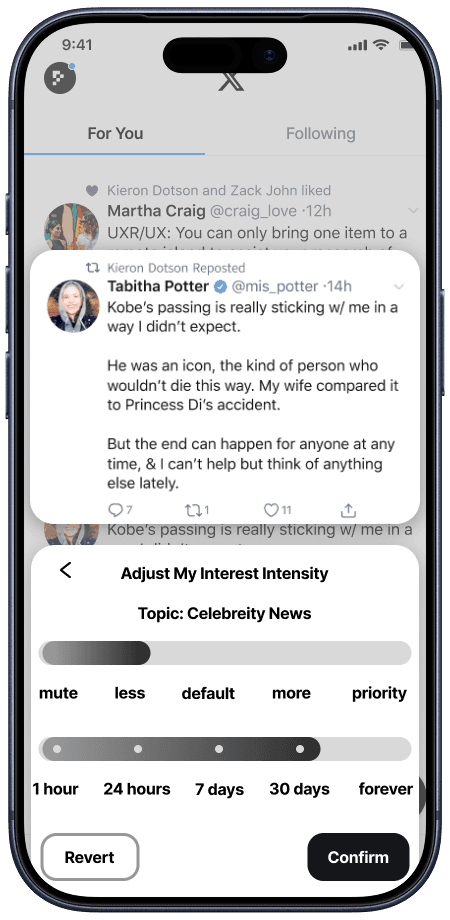
I compared five intensity levels with three levels and a separate duration control. I chose to simplify intensity while keeping temporary control explicit.
Earlier approach
Five intensity levels
More granular expression of topic preference.
Adjacent levels can be difficult to distinguish.
Revised direction
Three levels + duration
Clearer intensity choices, with a separate time boundary.
Less fine-grained intensity; duration is another choice to make.
Final artifacts & iterations
The same person needed different feeds at different moments.
I initially grouped intentional and exploratory browsing as different user types, then reframed them as changing needs within one person. Work and Personal became starting contexts for this concept, not an exhaustive classification of users.
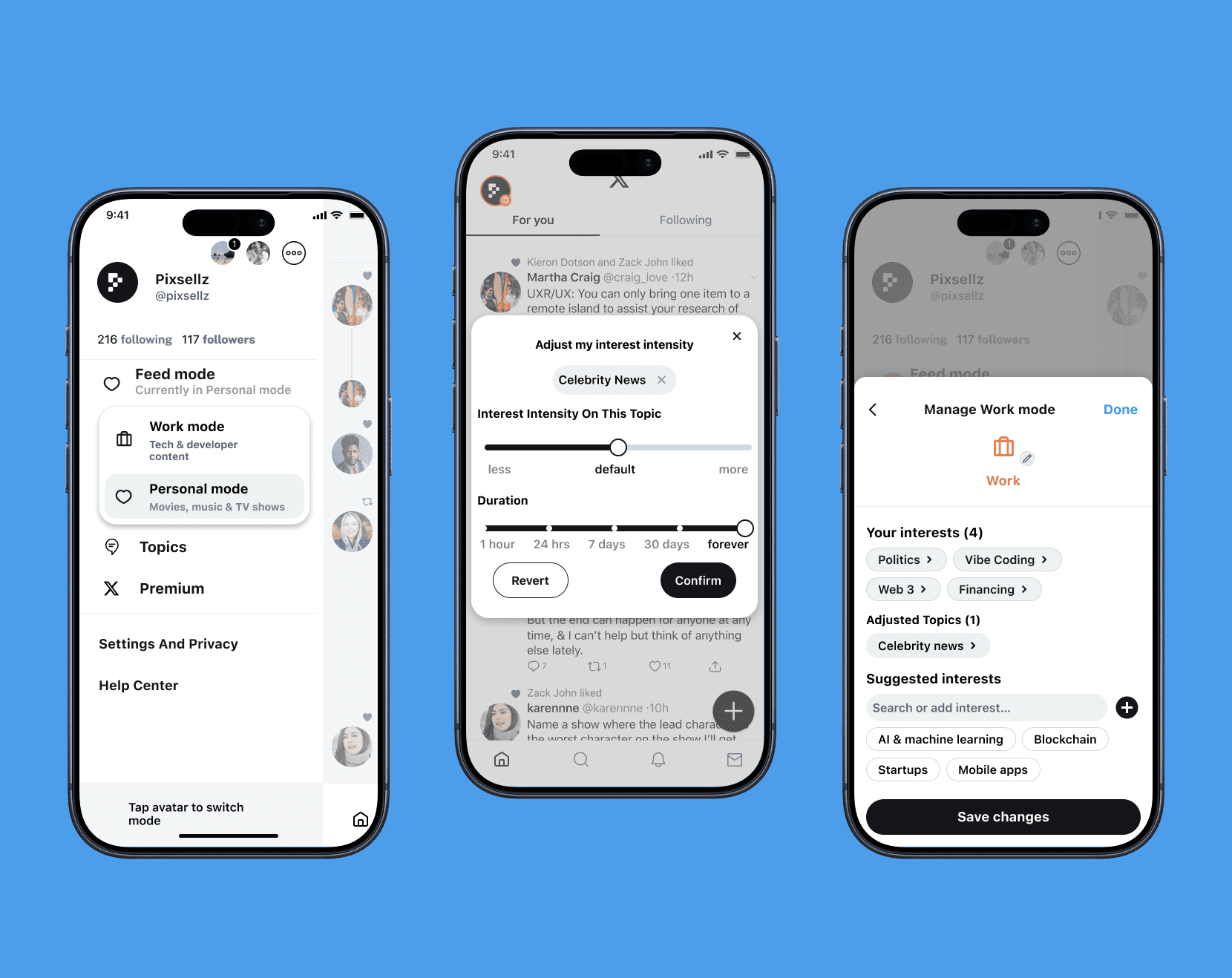
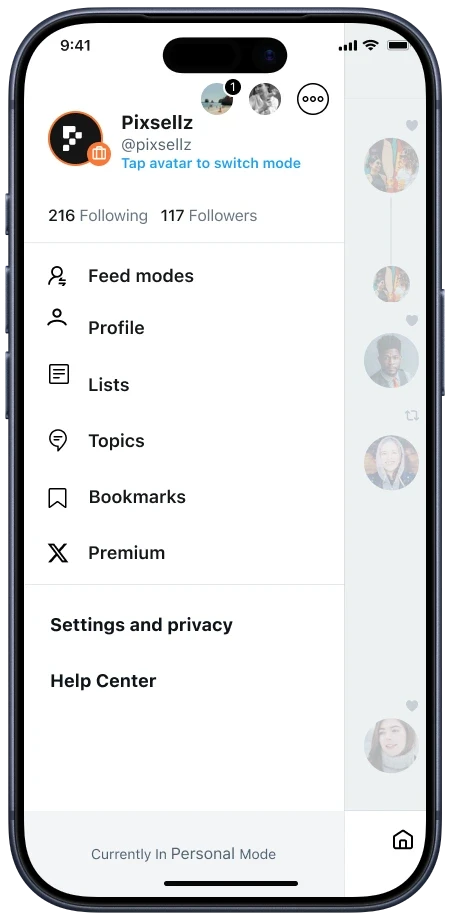
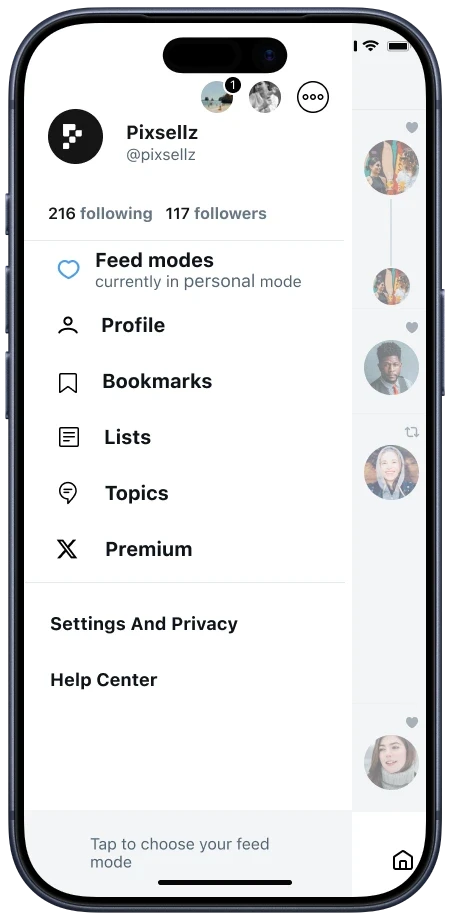
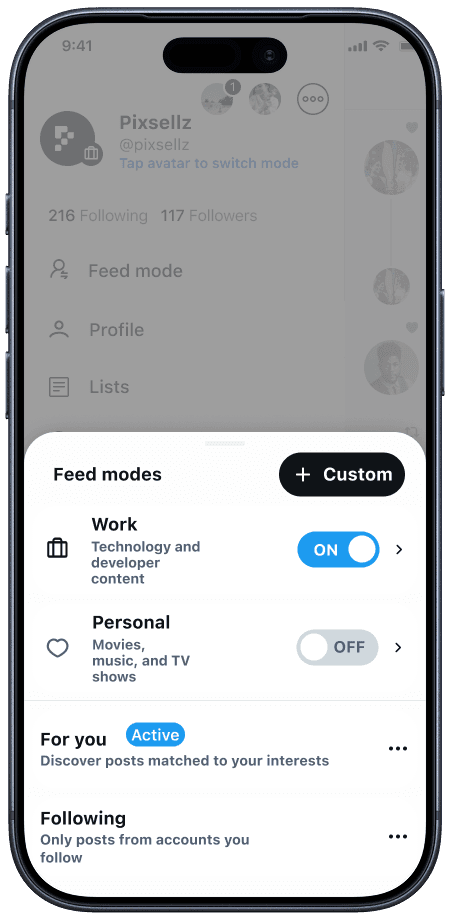
Before / Avatar shortcut and separate statusAfter / Mode and entry point together
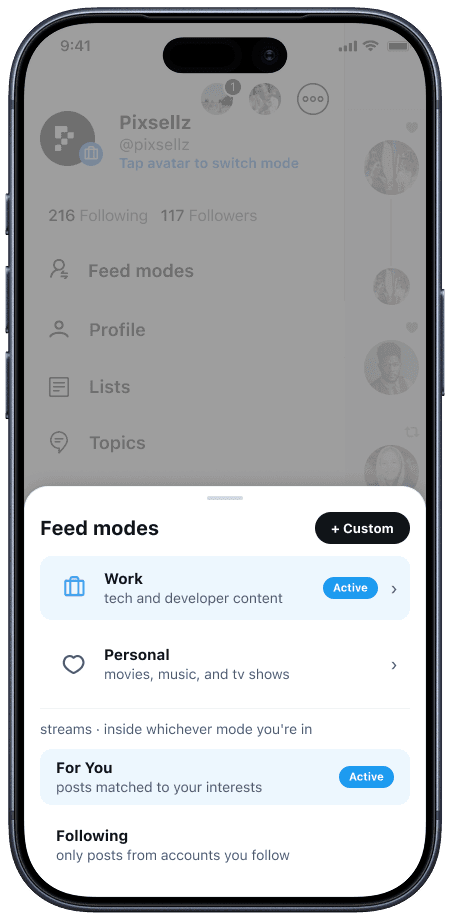
I separated browsing context from feed source.
Work and Personal describe the browsing context; For You and Following describe the feed source. I replaced independent mode toggles with an explicit Active selection so those two dimensions would not imply the same choice.
1Choose a context. Work and Personal describe the interests you want to browse.
2Choose a source separately. For You and Following work inside the selected mode.
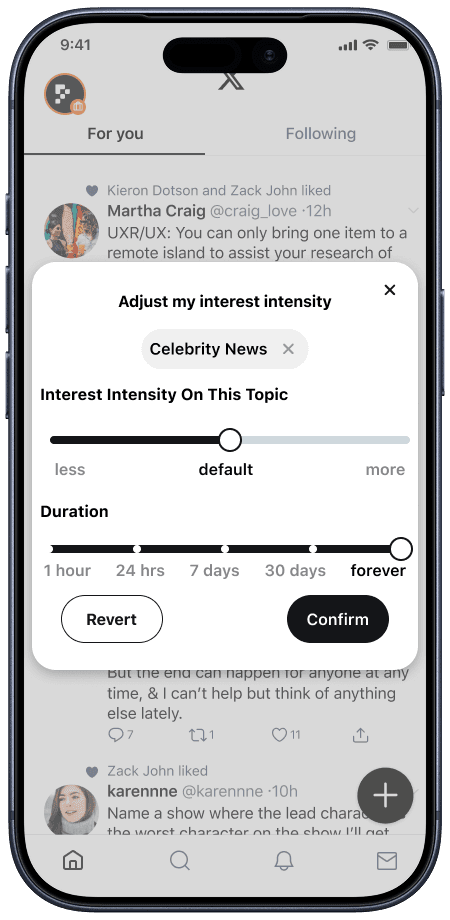
Topic adjustments start from a post, with an intensity and an end date. And I reduced five intensity levels to three clearer choices.
I placed the entry point beside the content that prompted the change. A reader can ask for less of a topic for a limited time without first navigating a separate settings workflow and adjust both intensity and duration from a post instead of muting a topic permanently.
1Five levels become three: less, default, more. The choice is easier to interpret.
2An explicit Duration label clarifies the existing time control. A passing interest need not become a permanent rule.
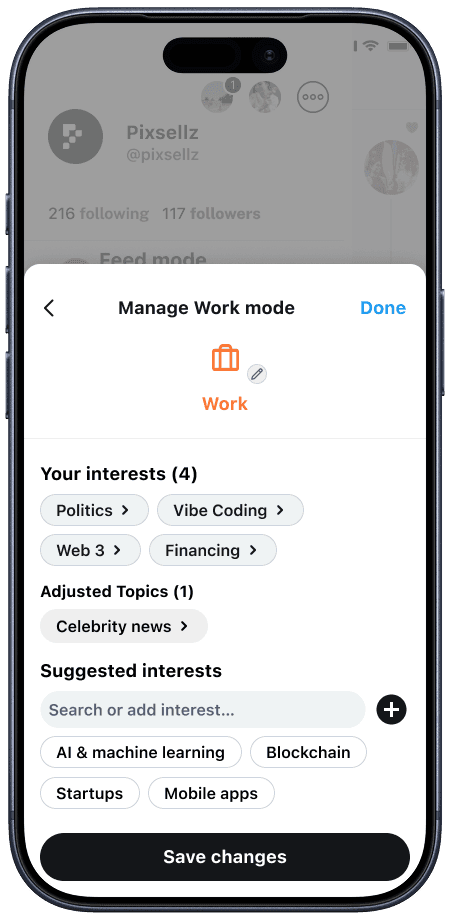
Adjusted topics needed a place to be found and changed again.
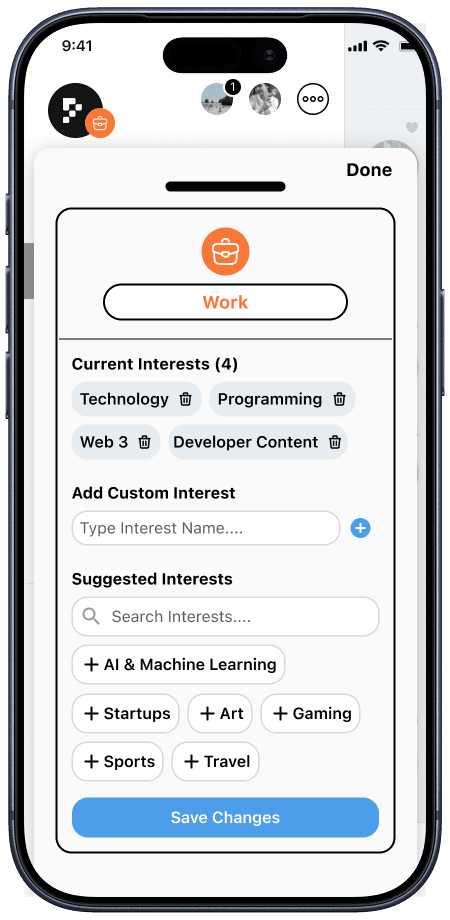
A quick change in the feed should not become a forgotten setting. I connected topic adjustments to mode management so people could review and edit them later, rather than only delete an interest.
1Interests stay separate. A temporary reduction is not the same as deleting an interest.
2Adjusted Topics makes temporary changes findable again, instead of hiding them among interests.
Reflection
A few things that I learned
More control is not automatically more useful.
Some people want to shape a feed deliberately; others only want to correct something in the moment. This project pushed me toward progressive control rather than one complex settings experience for everyone.
Connections matter as much as individual controls.
I began by considering which features to add. The more consequential decisions were about how those features related: context versus source, a temporary adjustment versus an ongoing preference, and an action in the feed versus a place to revisit it.
A need echoed beyond this project.
After this concept, Threads introduced Dear Algo and Your Algo, giving people direct, time-bound ways to ask for more or less of a topic. To me, that reinforces the relevance of the need behind this project, rather than validating this particular solution.
That's the end of this story. If you're still curious, here are two more.