01 / Personalization without the workload
Students need plans that fit them. Teachers should not have to build a personalized plan from scratch for every student and assignment.
Summary
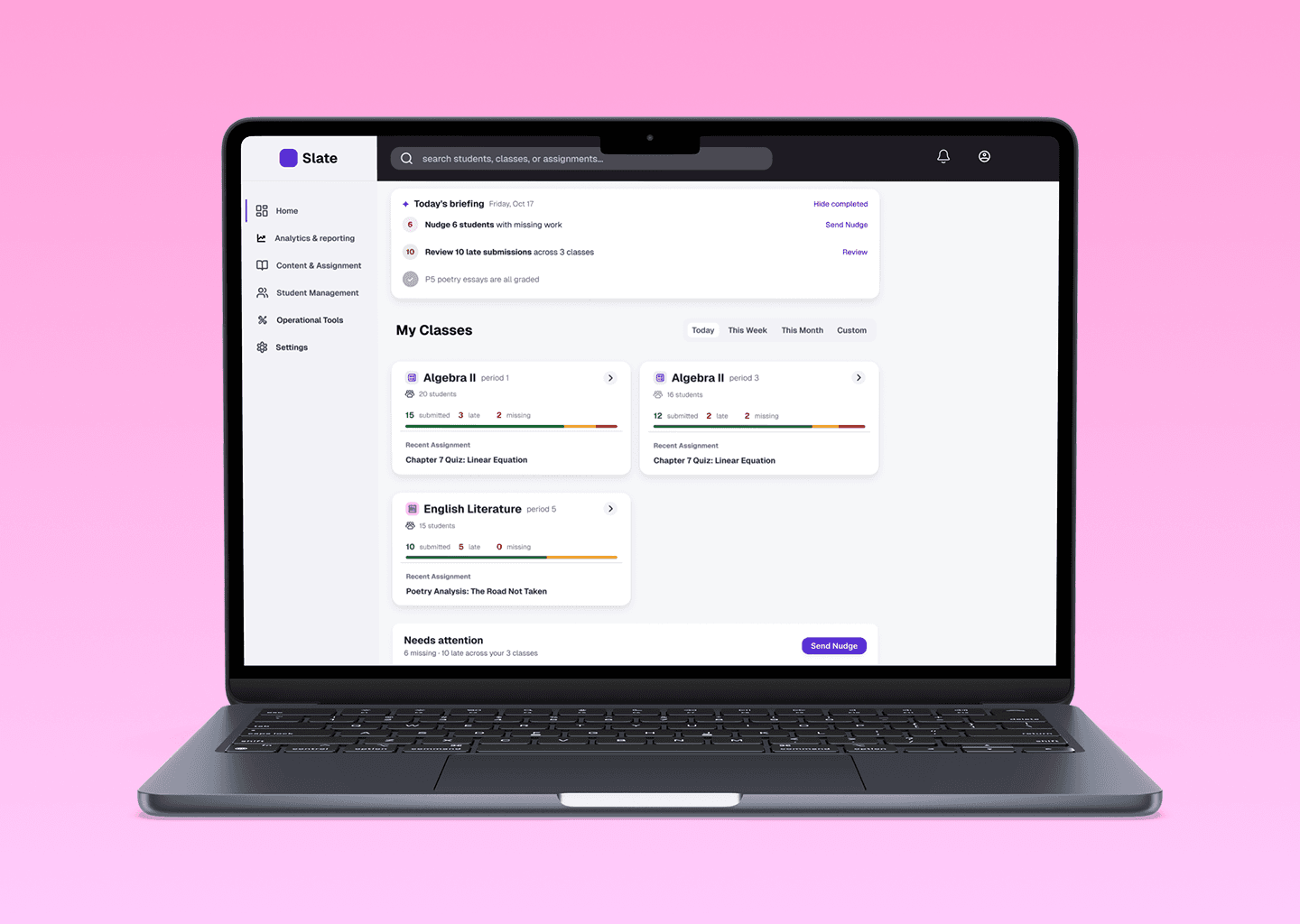
IntelliMind is an AI-assisted learning platform and study app developed by Minerva Next. It connects learning materials, schedules review, supports visual recall, tracks progress, and recommends what to study next.
Our client engagement focused on its educator dashboard: helping teachers manage classes and assignments and understand student progress. I led UX alongside a product manager and a UI designer, then independently revisited the workflow after delivery.
The problem
After delivery, usability feedback exposed a gap: users were unsure what to do next after opening the educator dashboard. A teacher’s question made the problem concrete, the interface could show performance without making a response clear.
Context
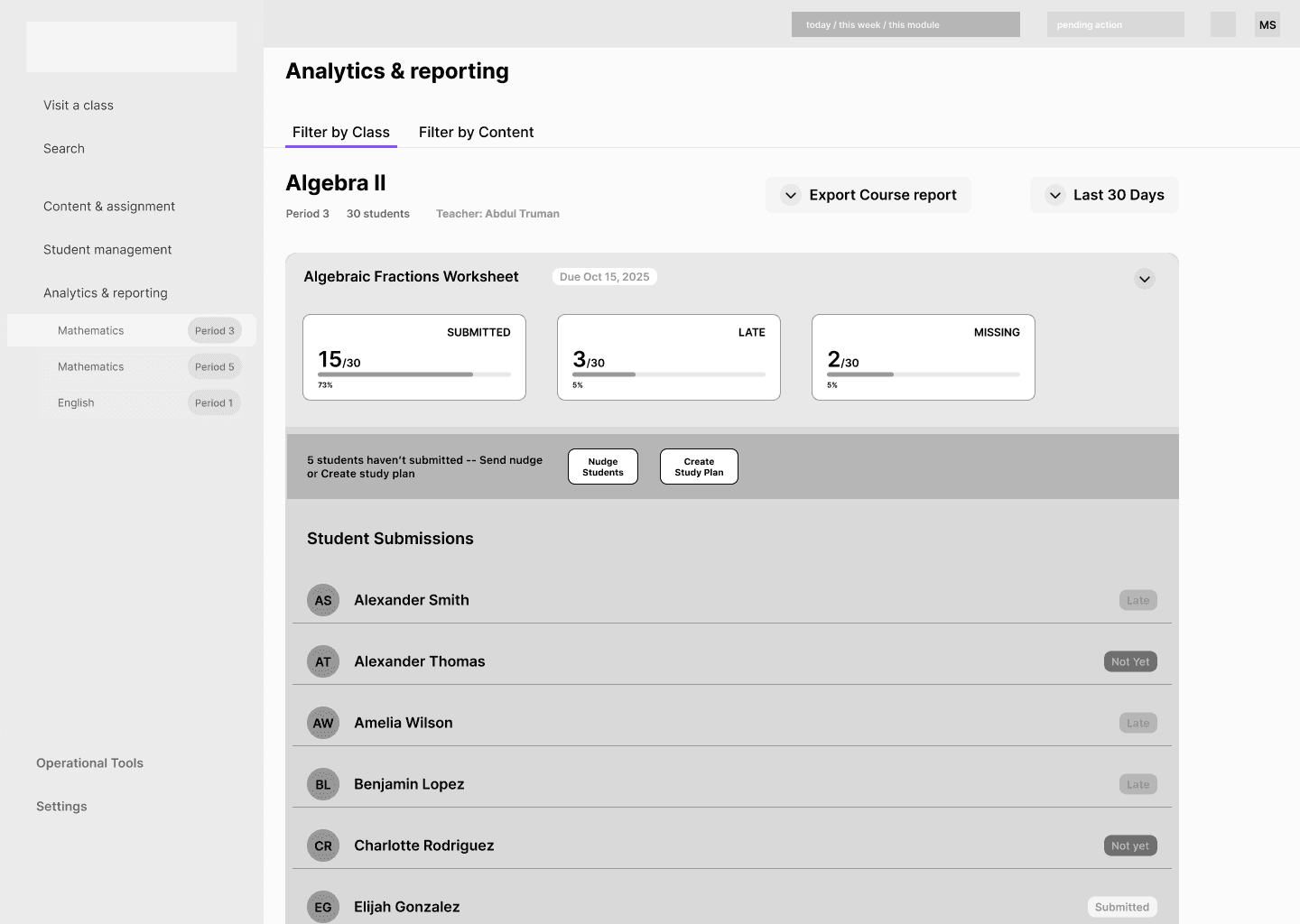
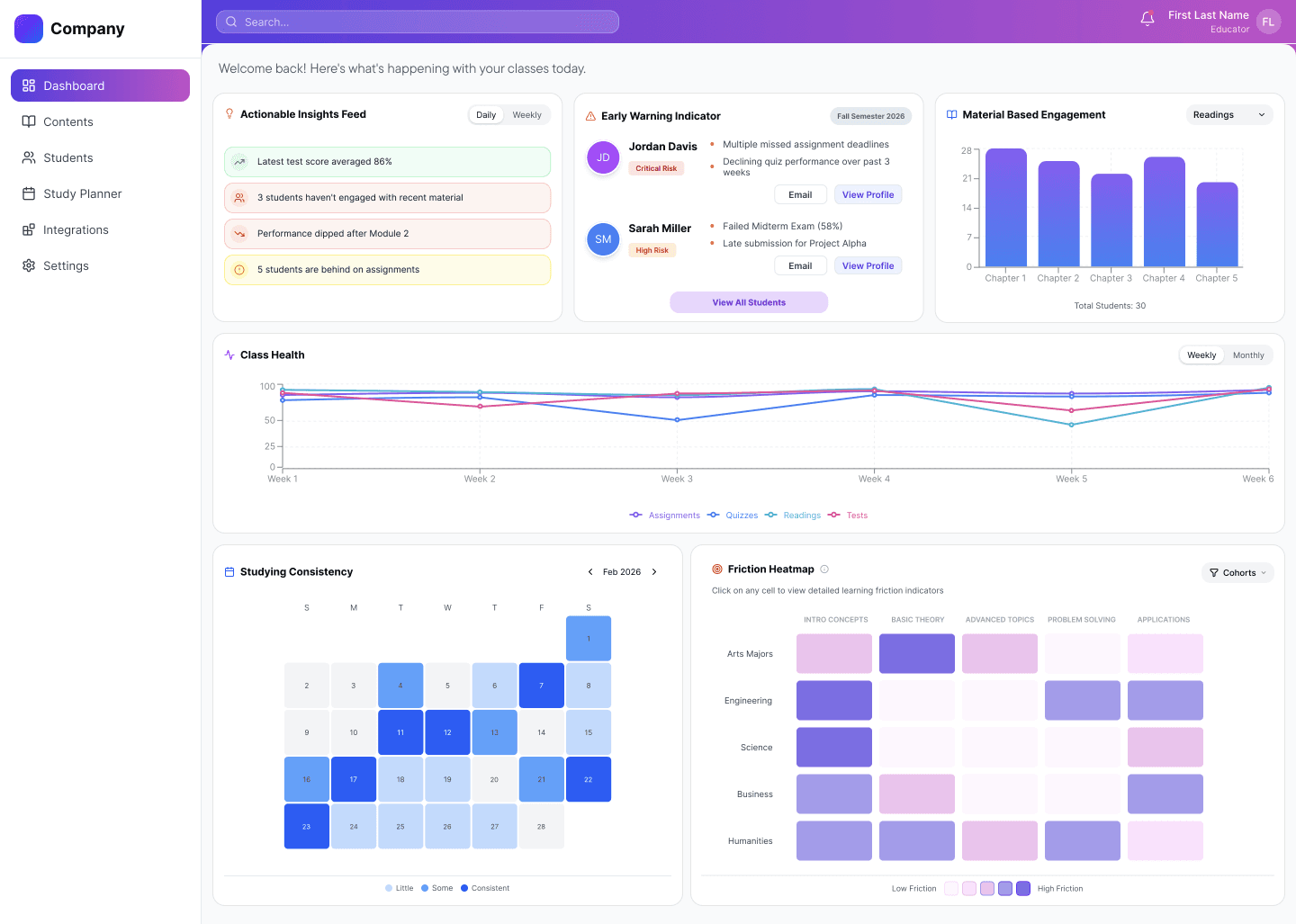
We started with a feature list rather than a defined end-to-end workflow. The delivered dashboard emphasized charts and visual reports, leaving teachers to interpret the data, identify who needed attention, and decide how to respond. That added mental effort between seeing a signal and taking action.

Insights / Independent redesign
I connected the work teachers set, the signals they monitor, and the responses they choose into five steps. The redesign focuses on the handoff from noticing a need to preparing and reviewing support.
Set the work and expectations.
Review submissions and performance.
Check who needs support and why.
Nudge, or draft a targeted plan.
Adjust and approve what students receive.
Five educator interviews informed the project. For the independent redesign, I revisited that research and mapped sample scenarios to connect personalization, actionable feedback, and teacher control to the workflow.
Students need plans that fit them. Teachers should not have to build a personalized plan from scratch for every student and assignment.
A student’s performance is only part of the picture. Teachers need to decide what support fits their circumstances.
A clear next step and targeted remedial work give teachers a way to respond and students a way forward.
AI can prepare the options. Teachers decide who needs support, adjust the plan, and approve what goes out.
Design principles
Connect learning signals to support teachers can act on.
Keep the teacher’s understanding of each student’s circumstances in the decision.
Let AI prepare options; teachers adjust and approve what goes out.
I organized the redesign around three teacher decisions: understand the situation, choose who needs support, and review what to send. AI supports preparation; the teacher retains approval.
Choose whether a reminder or learning support is appropriate for each student.
Review the proposed support and decide what to send. AI generation is not approval.
For a small number of missing submissions, prompt a reminder to submit.
Invite the teacher to check for a shared difficulty and create a study plan if appropriate.
Use student work to prepare activities the teacher can adapt, rather than starting from scratch.
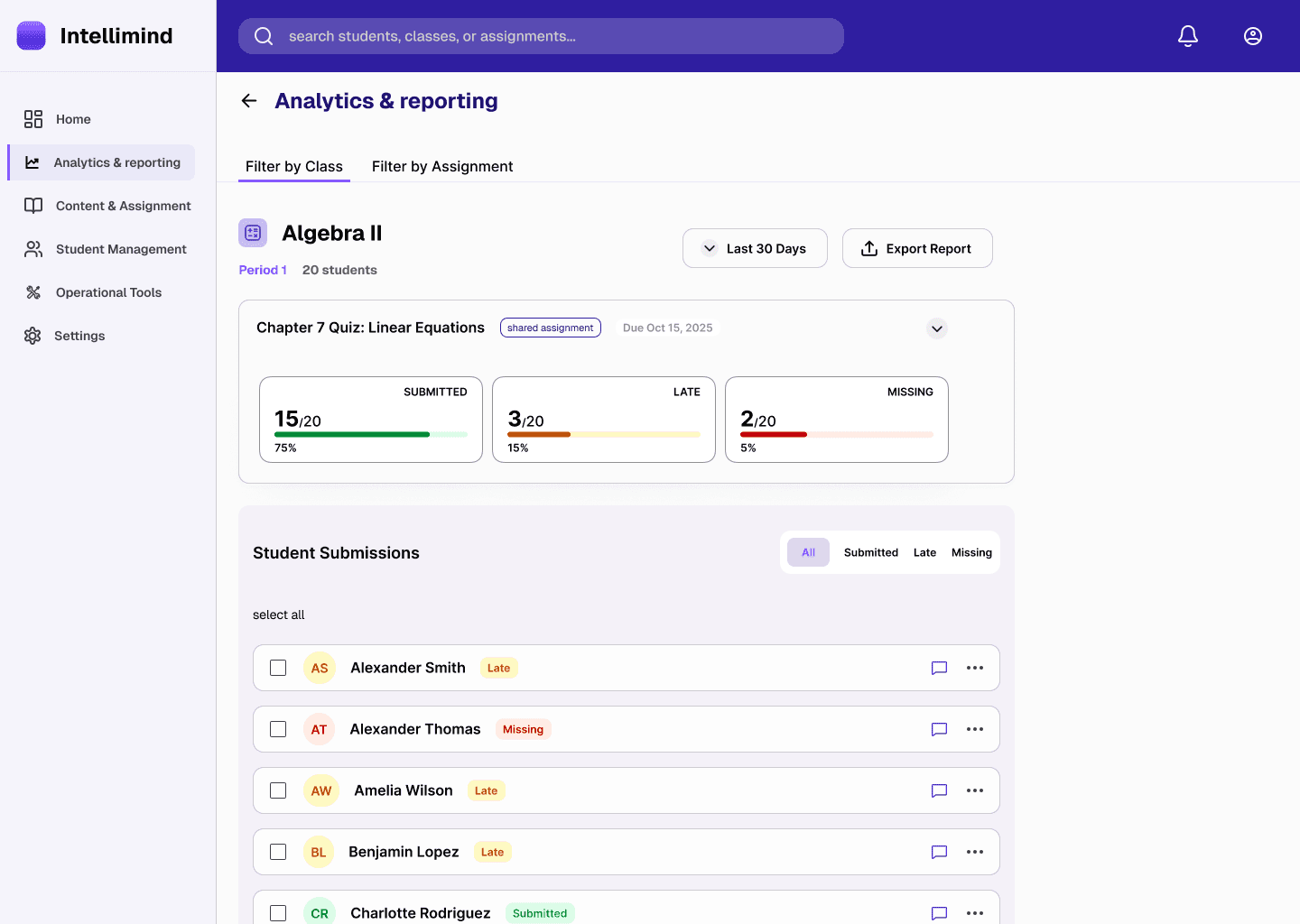
The 2-tab filters shows you who's engaged and who needs help, across every classroom, in real time.
Design choicethe filtering feature would allow teacher to monitor and review student performance by class and by assignment, which preserves the teacher’s knowledge of each student’s situation as opposed to turning a status into an automatic bulk intervention.
The recording demonstrates the two-step filtering structure.
The submission status flags who needs help right now, so teachers can act while students are still working and students get support before they fall behind.
Design choiceProviding color-coded submission status would help teachers identify gaps in understanding that may have gone unnoticed during a regular class. In this way, teachers see where students stand, and know exactly who needs more support before the next lesson.
1Nudge and plan actions sit above the list, while individual recipient selection is not visible.
The recording shows the outreach workflow following student selection.
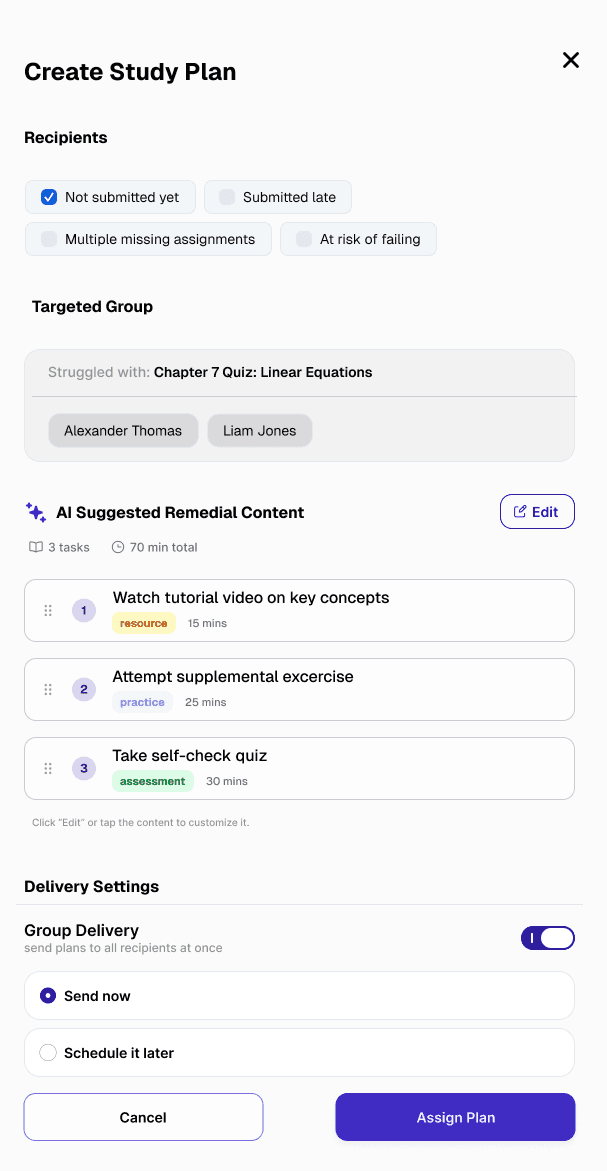
AI would use coursework evidence and teacher-confirmed needs to adjust activity complexity for cohorts facing similar difficulties, then draft study plans that fit. Submission issues would prompt a teacher check, rather than determine a learner’s ability on their own.
Design choiceAI would prepare appropriately challenging activities for each cohort across subjects; teachers would inspect, review, and adjust the plans before delivery. The aim is to make personalization manageable without multiplying preparation work or contributing to burnout.
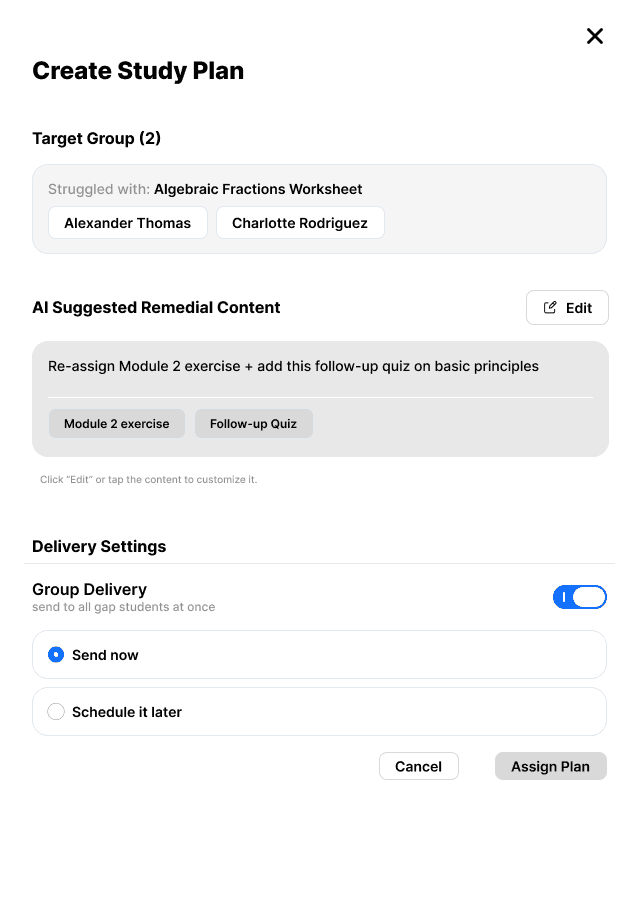
1A brief recommendation names resources, but does not show a timed activity sequence.
What still needs testing: whether reviewing and editing the proposed plan reduces preparation time without adding an equally demanding checking task.
The recording shows how teacher review fits into the support workflow.
The independent redesign connects signals, student selection, and teacher-reviewed support in a high-fidelity prototype. It is not evidence of a shipped integration or measured time saving.
A polished screen is not a good screen if users don't know what to do with it. When a feature list leaves the workflow undefined, mapping what people need to see, decide, and do is part of the design work, not a step to wait for someone else to finish.
I would compare the effort of preparing support from scratch with reviewing an AI draft: review time, number of edits, and whether the final activities fit the student. Faster generation is not enough if checking takes equally long.
Next explorations would let teachers set difficulty, a time budget, and a deadline before regenerating relevant activities. These controls remain proposals to test, not validated improvements.
That's the end of this story. If you're still curious, here are two more.